Wise Disk Cleaner 11.3.3 For Windows 2026
Clean and speed up your PC with Wise Disk Cleaner. Remove junk files, clear cache, and free up space with this fast, free, and easy-to-use Windows cleaner tool.
Screenshots
 1/4
1/4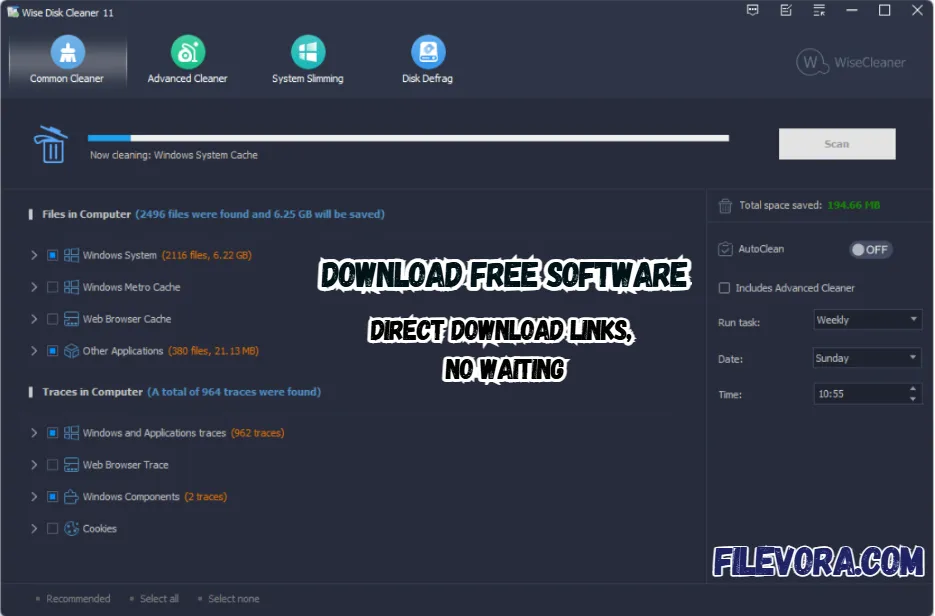 2/4
2/4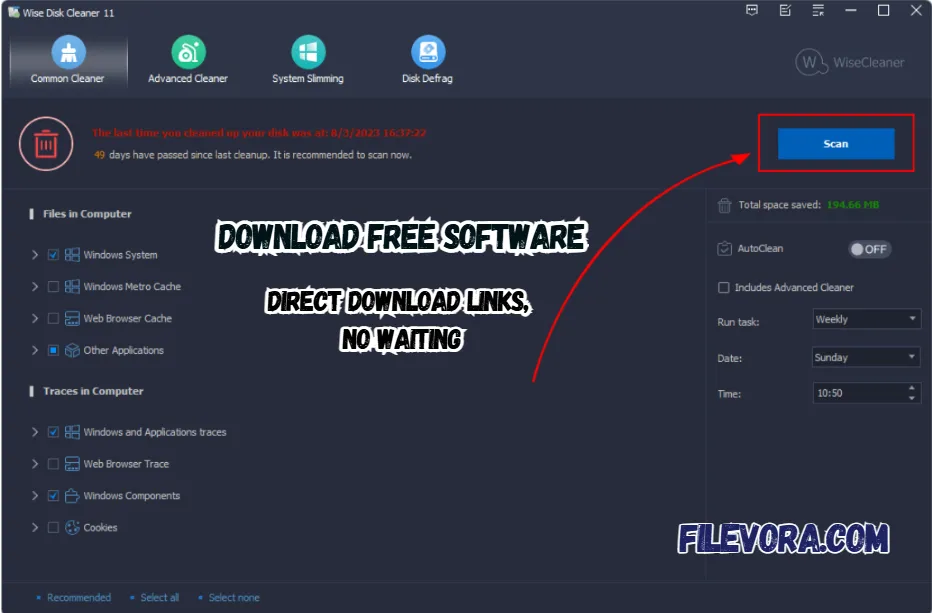 3/4
3/4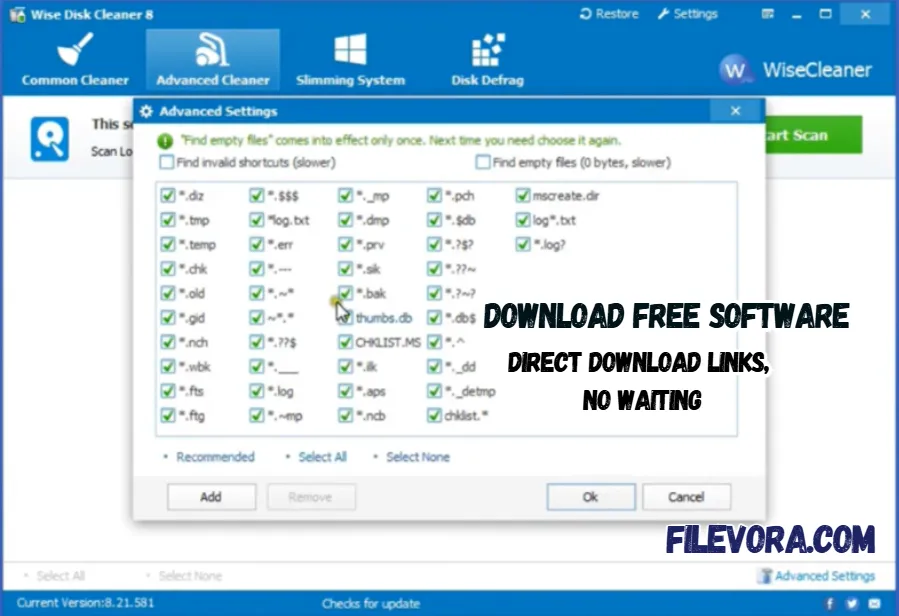 4/4
4/4Wise Disk Cleaner
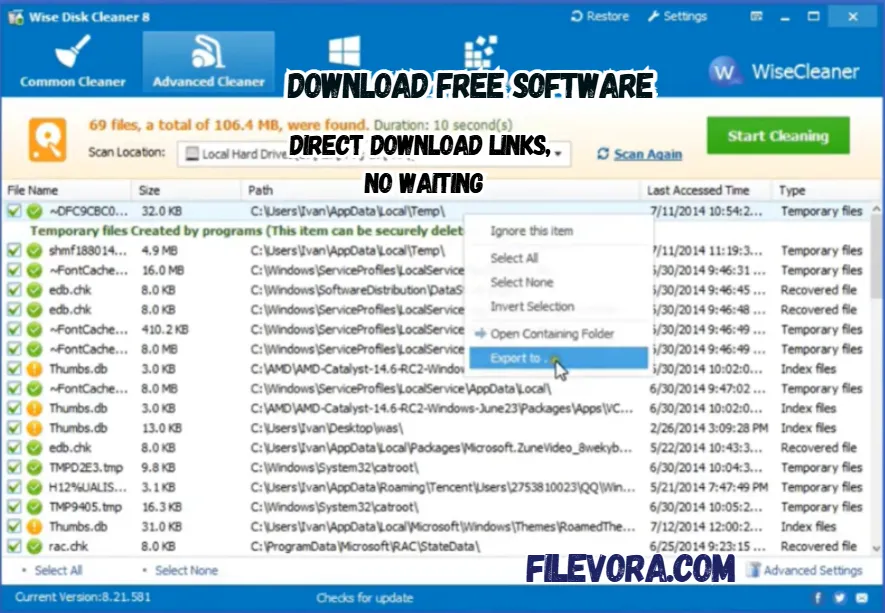
Wise Disk Cleaner is a simple and powerful tool. It helps you clean junk files from your computer. It removes temporary files, system cache, and browser history. The other useless data that slows down your PC.
It is a lightweight and free software. It is made for Windows users. It is the perfect applcaition with a smooth and clean system without any technical skills. It was developed by Wisecleaner.
Clean and Free Up Disk Space
It helps you to work on your system every day. It is the best tool for cleaning the temp files, outdated patches, and logs. It appears without notice. Your PC may start getting slower over time. You might not notice it right away.
Junk files build up on your computer. It goes away without making things complicated. When you clear out old files now and again, extra room opens up. That space lets your machine work more quickly. It also runs more smoothly and reliably. When unnecessary files are kept away.
Protect Your Privacy by Erasing Traces
You can work on your system without leaving anything. It can easily clear the browsing history and cookies. It also removes the recently opened files and cached data. If you don’t clean them regularly. It can expose your personal information.
It allows you to safely delete these records. It can clear the browser history and cache. The system traces your private data, which stays protected. It also offers a safe deletion feature. Recovery becomes nearly impossible by design. Protection happens step by quiet step.
Key Features of Wise Disk Cleaner
- Clean junk files easily with just one click
- Remove temporary files and system cache to free space
- Clear browser history and cookies for better privacy
- Scan deeply to find hidden unnecessary files
- Built-in disk defragment tool to improve hard drive performance
- Schedule automatic cleaning so your system stays clean
- Fast and lightweight app that runs smoothly
- Simple and user-friendly interface for everyone
- Helps clean registry and organize folders
- All-in-one utility for better system performance
Defragment and Optimize Your Disk
Keeping your disk organized is important for better performance. When files are scattered across your drive, your system takes longer to access them.
It helps reorganize your files so your computer works faster. It combines scattered data to improve speed. SSDs use advanced trimming to manage storage efficiently. It extends the life of the drive. It helps your system start faster and run more smoothly.
Automatic Disk Cleaning
Sometimes cleaning your computer by hand just wears you out. It works for you to scan your PC daily and weekly. With timing set, junk files vanish on their own, no pushing needed. There is also a one-click clean option. It allows you to instantly clean your system with a single click.
Free and Lightweight Software
It is a free application that offers powerful features. It also gives the advanced tools. It is lightweight and uses very few system resources. It does not slow down your system during the cleaning process. It is a perfect way to clean your computer.
Final Words
It is a simple yet powerful tool to keep your computer clean and fast. It is perfect for users. It is an easy solution to remove junk files and improve performance without using heavy software. If you want a free and reliable PC cleaner in 2026. It is a great choice.
Pros & Cons
- 100% free to use
- Easy interface for beginners
- Fast scanning and cleaning
- Low system usage
- Supports scheduled cleaning
- Only available for Windows
- No real-time cleaning feature
- Limited advanced tools compared to premium apps
System Requirements
How to Download and Use Wise Disk Cleaner
- 1Click the download button
- 2Wait for the file to download
- 3Open the setup file
- 4Follow the simple installation steps
- 5Launch the software after installation
- 1Open the software
- 2Select the type of scan (Common or Advanced)
- 3Click on “Scan”
- 4Review the files found
- 5Click “Clean” to remove junk files
Q1 Is Wise Disk Cleaner safe to use?
It is safe and trusted by millions of users worldwide.
Q2 Is Wise Disk Cleaner completely free?
It is 100% free with no hidden charges.
Q3 Does it improve PC speed?
Yes, by removing junk files, it helps improve performance.
Q4 Can it delete important files?
No, but you should always review files before cleaning.
Q5 Does it work on Windows 11?
Yes, it fully supports Windows 11.
No comments yet. Be the first to share your thoughts!